
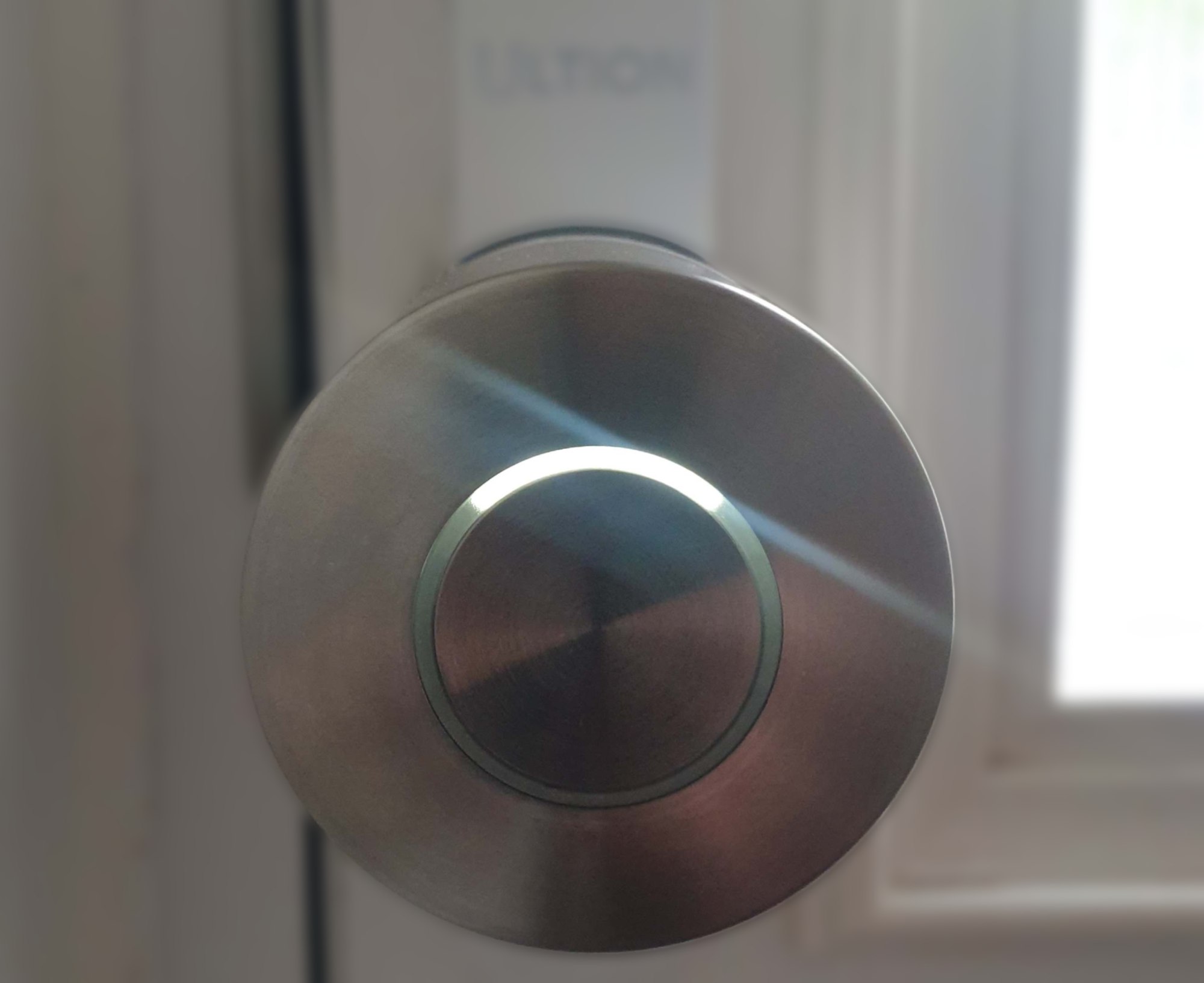
Home security has evolved quite a lot of the years, and rapidly. It used to be we had simple things such as door and window locks, motion sensors and maybe a burglar alarm or even the odd camera. Now home security is much more integrated into our daily routines and our home ecosystems, all designed with protection, ease of use and convenience in mind. When you get past the video doorbells and security cameras, smart locks are becoming increasingly popular, devices that upgrade your door locks with app-based control. And it is so easy to up-tech up your door locks with the Ultion Nuki Smart Lock.
The Ultion Nuki Smart Lock Ultra is a retrofit Smart Lock that offers a tech upgrade by fitting with your existing lock and using your phone, keypads, fobs, NFC and an upgraded door key for easy, yet secure, entry. It allows you to open your door without a key and even remotely. For this review I having been using the Ultion Nuki Smart Lock Ultra that comes with the Nuki Smart Lock (for no key entry) and Universal cylinder (for key entry). It consists of the Smart Lock and Cylinder, which allows you to open/lock/unlock the door using a phone app or the key. The lock is fitted to the inside of the door (so can’t be tampered with from the outside).
Key Features:
- Built-in Wi-Fi: The Nuki Smart Lock features integrated Wi-Fi, eliminating the need for additional hubs or bridges. This enables remote control and firmware updates directly through the Nuki app.
- Enhanced Motor Performance: With a faster and quieter motor, the Ultion Nuki Smart Lock offers improved locking and unlocking speeds, providing a smoother user experience.
- Matter Compatibility: The lock supports Matter over Thread, ensuring compatibility with major smart home platforms, including Apple Home, Google Home, Amazon Alexa, and Samsung SmartThings.
- USB-C Charging: The built-in rechargeable battery of the Nuki will keep powering your door lock for up to 9 months, and the app will notify you when the batteries are running low. The Nuki Smart Lock can be charged via USB-C, either on or off the door, in only two hours.
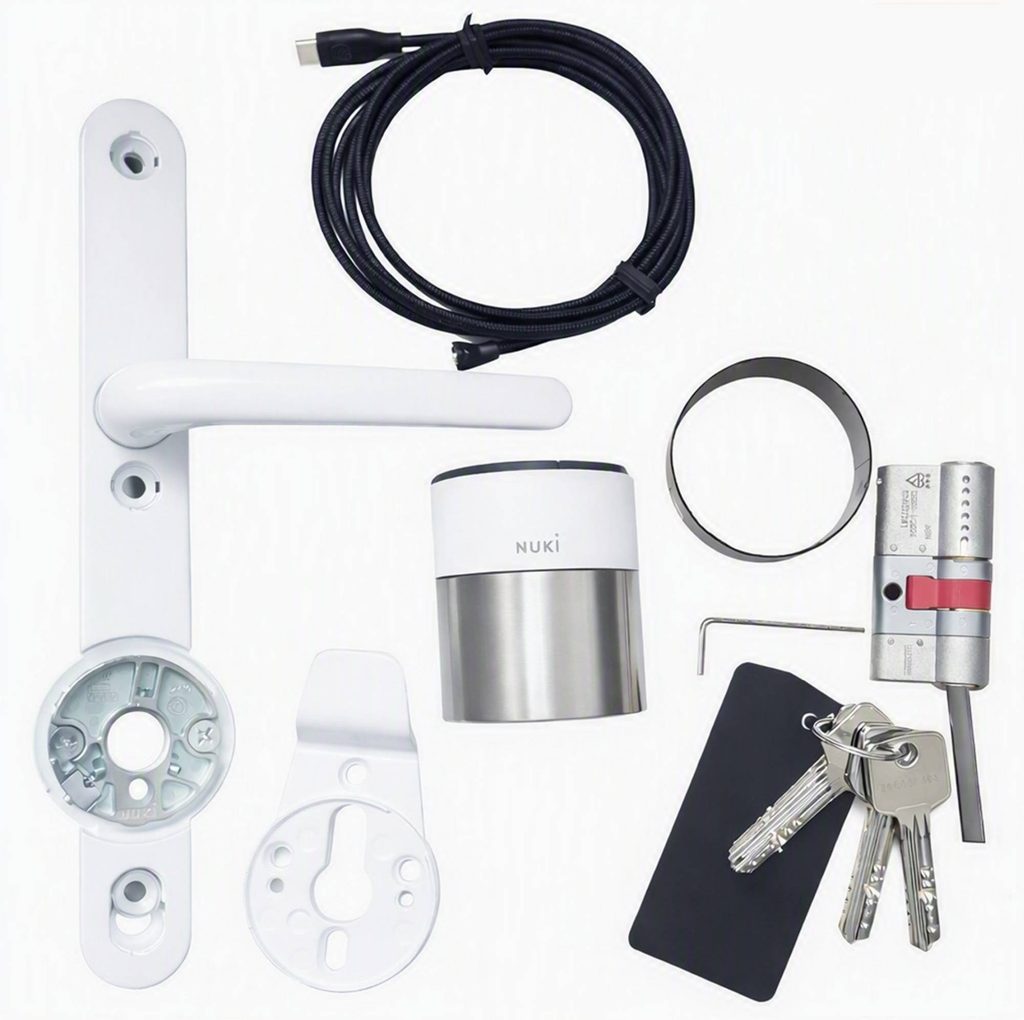
Before purchasing a Ultion Nuki Smart Lock, there is a handy compatibility check on the Nuki website so you can see if the smart lock will be compatible with your door. There are also very good installation instructions and videos on their website.
Now despite it being a smart lock, installing the lock and cylinder is simple. Before installing on my door, I charged the lock. A USB-C cable is supplied (it is USB-C at one end with a round magnetic charging connection at the other end of the cable). The lock can be charged while on the door or by removing the lock (there is a simple push button mechanism for easy removal). Personally, I found it much easier to take the lock off the door and charge it rather than trying to reach a charging point or using a power bank. While it is charging, there is a light around the centre button that illuminates to indicate charging. It only takes approximately 2 hours to fully charge.
Once the lock was charged (which can give up to 9 months of use before the battery needs charging, obviously depending on how much you use the door) it was time to fit it to the door and this is very simple (there are handy QR codes you can scan to get setup instructions for your type of handle). First I removed the door handle and then the cylinder. The cylinder then slots into place and fixes in place with the supplied screw. The handle (the one that comes with the lock) is then attached to the door (no drilling needed). Once the handle was attached to door I tightened the lock base plate on the door and then attached the smart lock (it just twists on and clips in place). That’s it.
The next step was to download the Nuki app to control access. With the app downloaded, you can pair the lock with your phone via Bluetooth and control door opening and locking as well as changing settings. With the settings you can invite other users (so family members can still get in as well as set up time limited access for friends/carers etc. as well as giving them restrictions such as not locking the door), set up remote access (using its built-in Wi-Fi), connect it to your Huawei Watch, monitor battery levels, change locking speed, scheduling and night mode.
Now, to be honest I was a bit wary about adding an electronic lock, especially one controlled by an app – what if the battery runs out or I lose my phone and what about privacy and security? Well, once the app is set up I registered for Nuki Web (free and optional) so that I can login to a web portal if need be and still control the door (Wi-Fi needs to be enabled on the smart lock), plus I had another user with the app on their phone so I shouldn’t have a problem. As for battery levels, the app does alert you when the lock needs charging. The lock also comes with a new cylinder and keys so I can still gain access using the key or I could purchase a fob to keep with my keys or a keypad for pin/fingerprint access, so really I should have no issues. As for security issues between the app and the lock, it uses end-to-end encryption, comparable to online banking.
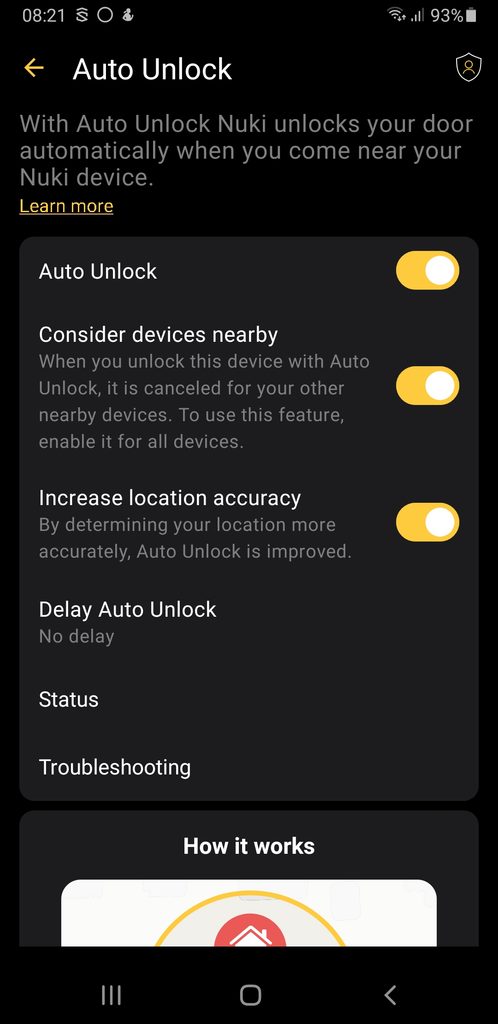
The Ultion Nuki Smart Lock is so simple to use. When you leave the house, you can use the phone app to lock or open the door – that’s all that’s required, right? The Nuki Smart Lock has some excellent features that I love. You can set it up so that when the lock detects your phone it will unlock the door for you – handy for when trying to carry in bags of shopping for example. You can also schedule times when the door can be opened or locked, but for me I love the night mode. With Night Mode the door will automatically lock at night – which as I have a very bad habit of not locking the door is perfect for me (although no one can get in without the key anyway).
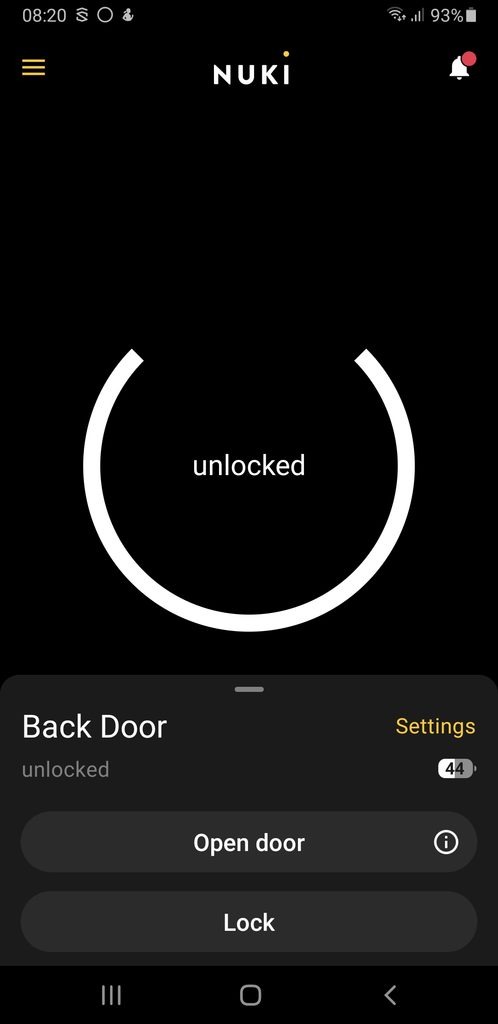
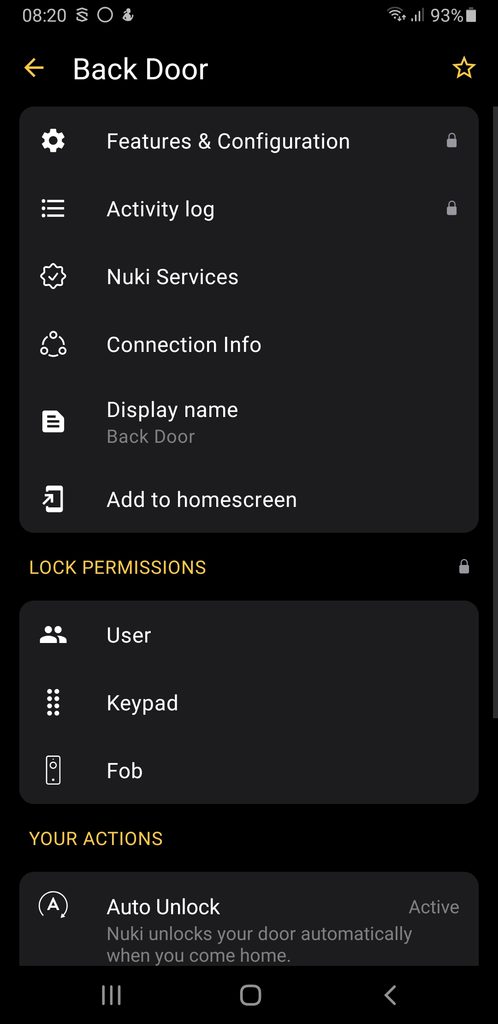
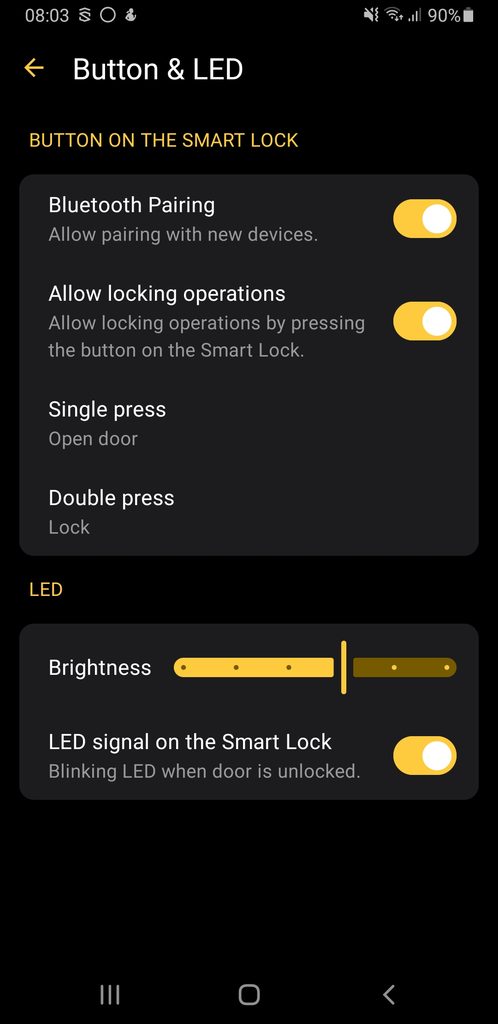
As for opening the door when inside, I was worried that if the door was locked and someone needed to get out and didn’t have the app (or needed to leave quickly) how does that work? The lock has a button on it, push it once and the door unlocks. You can also configure the button to do other things, so I have it set for a double press to lock the door (rather than needing to find my phone all the time). You also have features such as Lock ‘n’ Go which unlocks the door and then automatically locks it again in your selected time period (from 5 to 60 seconds), which is perfect for when you leave the house and close the door – you can also set this up for the button push.
While the smart lock is excellent, I also received a new Ultion cylinder (with 3 keys). This is no ordinary cylinder – it is secured to the latest attack standards and stops drilling, picking, bumping, snapping, twisting and thermal methods to open the lock. It even comes with a £5000 guarantee if a burglar snaps the lock and breaks in via that method.
And for those that like their smart home security to be even more integrated, it can be paired with Google Home, Apple Home, Samsung SmartThings and Amazon Alexa using Matter over Thread.
Overall, I have been very impressed with the Ultion Nuki Smart Lock. It is so easy to fit and control and it works extremely well, although in standard mode it can be slightly slow (especially if you are in a hurry, 2.6x faster compared to previous versions), but you can change the mode in the app (gentle mode is even slower but quieter at 1.5x faster, while the insane mode is a lot faster at 3.4x the speed).
I like the LED light around the button in the centre of the handle that blinks when the door is unlocked (you can disable this if required as well as adjust the brightness) and I love being able to use a single or double press to lock/unlock the door with ease. But my favourite feature has to be the Night Mode that automatically locks the door at a set time – perfect for people like me that do forget to lock the door sometimes.
With the lock being able to be securely controlled locally via Bluetooth, or remotely via its built-in Wi-Fi it gives users flexibility in how to control and automate their home security. Plus to protect your privacy, no data is stored online in the cloud – all data stays locally on your devices and you can view the see activity log to see when the door was locked/unlocked and by who.
Now for some very small drawbacks.
I found the Bluetooth connectivity when using the Auto-unlock feature to be inconsistent, not always unlocking the door when I was close by. For me I would say it worked about 50% of the time.
It only comes with one magnetic charging cable – I would have preferred two just in case one had a problem (and I couldn’t see a option to buy a spare on their website).
And my last small niggle is that the smart lock itself protrudes further than the door handle, which depending on your set up might not be a problem, but in my case if the door is pushed open fully, it hits the wall – I am going to have to fit a door stopper at the bottom to protect the lock from damage (although to be fair I had the same problem with my old door handle hitting the wall and damaging the wall).
Despite these very small niggles, I love the Ultion Nuki Smart Lock. It’s so easy to install, no real DIY skills required as long as you can turn a screwdriver. It works reasonably fast (it is just as fast as digging out your keys and putting them in the lock and the auto-locking and night modes speed this up anyway) and it’s aesthetically pleasing. It’s secure (and it is on the inside of the door so can’t be seen from the outside), with backup options if needed for opening the door, and its simplicity makes it a winner. An effortless way to upgrade your smart home security. And the more I fiddle with the settings, the better it seems to get.
Rating: 4.5/5
RRP: from €269
For more information or to buy, visit nuki.io.