
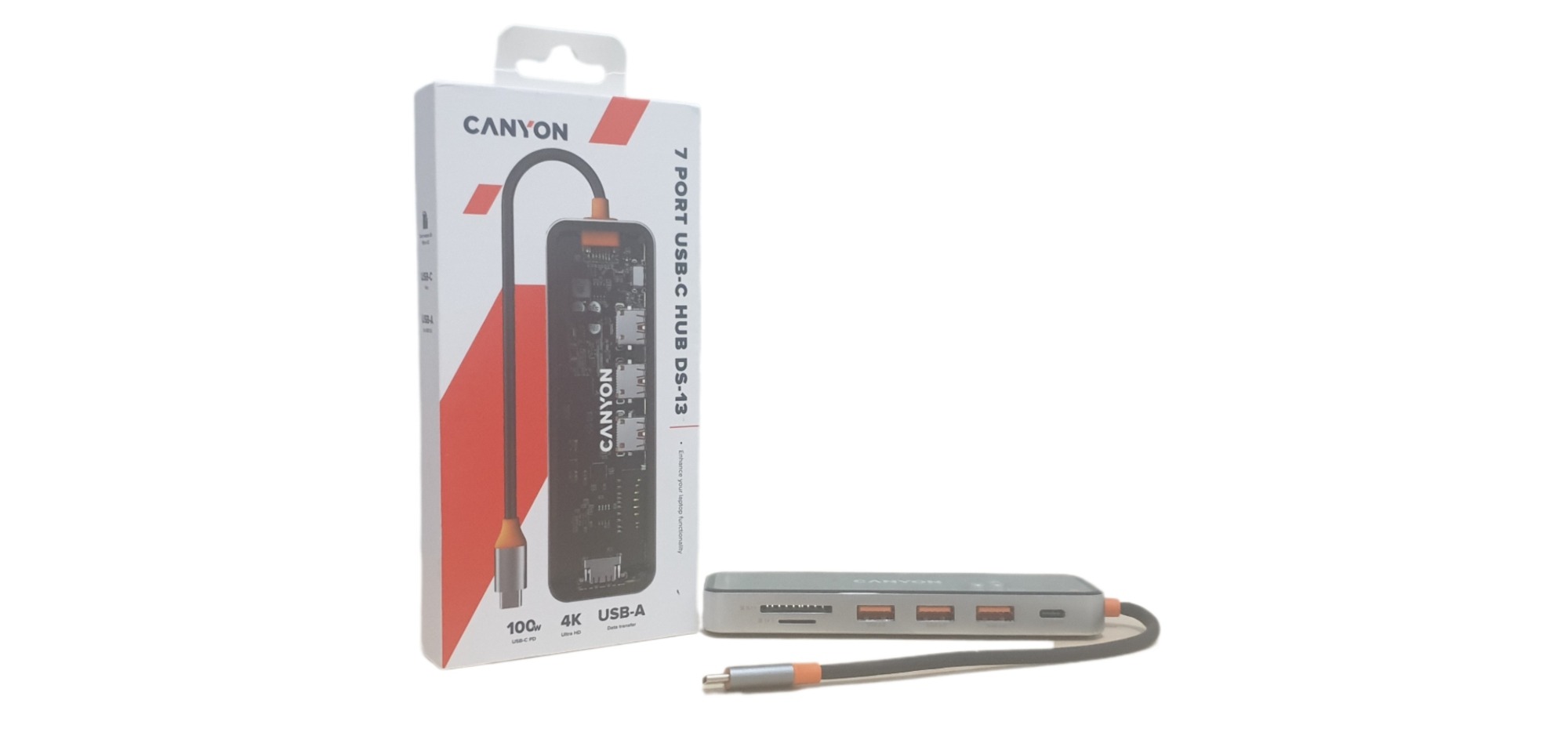
Over the years I had have had several different laptops, and used to build and repair them. As laptops are getting lighter, more powerful and thinner there has to a sacrifice and a lot of newer laptop don’t have many ports and we all have too many devices. If I look at the laptop I am currently using, I have 2 monitors plugged in, a Bluetooth receiver for a wireless mouse and an external hard drive, plus I am always plugging in memory sticks and cables for my camera or phone. A lot of the time I am always unplugging something to plug something else in – while it is not too much of a problem it can be a bit of a faff at times. So, the obvious answer is to plug in yet another device – a USB-B hub. I have been using the Canyon 7 Port USB-C OnHub 13 (DS-13) which frees up ports on my laptop (and means that I have less to unplug when taking the laptop away from my desk) keeping everything neatly in one place while enhancing the capability of my laptop.
The Canyon 7 Port USB-C OnHub 13 (DS-13) is a 7 port hub featuring three USB 3.0 ports, one USB C port with 100W PD. One HDMI 4K Ultra HD, 30Hz port and two card reader slots (SD/MicroSD, 5Gbps). It uses a USB-C cable connection (cable length 155mm) to plug into the laptop and supports Microsoft Windows (Windows 7 and above) and MacOS 10 and above devices. It has a zinc alloy body with a transparent tempered glass top (you can see the internal components), measures only 138x42x15mm and is grey/silver colour (it is called Space Grey). Plus, it only weighs 162g.
Overall, the Canyon 7 Port USB-C OnHub 13 (DS-13) is a sleek and compact device that covers nearly all my needs to expand the functionality of my laptop. It helps give me maximum connectivity without the need to keep plugging/unplugging devices. Its compact size and short cable ensures that everything on my desk is kept nice and neat.
The hub is so simple to use, just plug it in to a USB-C port and off you go – no configuration needed. Plug in any peripherals and as long as they are compatible with your laptop they should work.
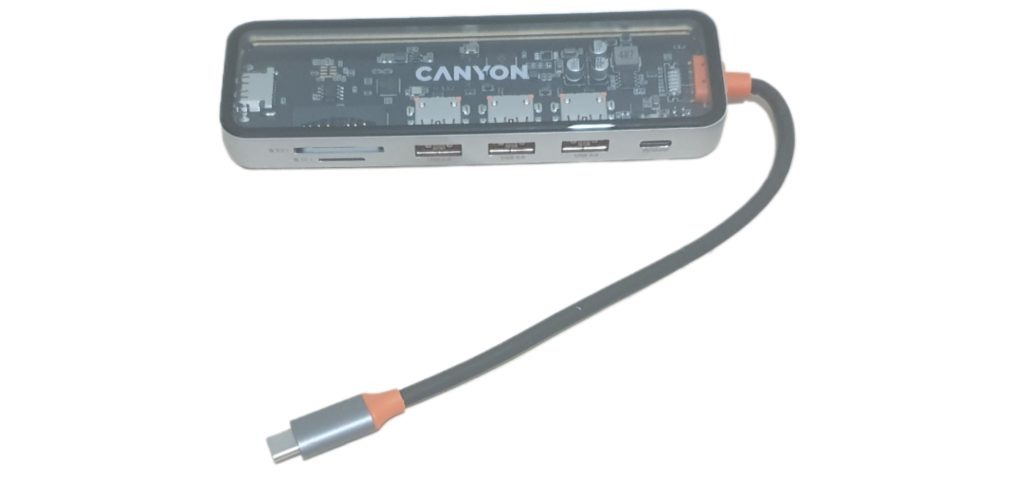
With the USB 3.0 ports offering up a speed of up to 5Gbps (this is shared between the ports so if you are transferring data on all 3 at once the speed will reduce to each device), enabling fast file transfers.
The USB-C PD 100w PD (power delivery) allows devices to draw up to 100w of power, ideally for fast-charging devices that support it – great for charging up your phone (as long as you are also using a charging cable that can support PD) .
And it features a 4K Ultra HD HDMI port which is perfect for streaming or plugging in a larger monitor for presentations etc. – although it does have a 30Hz limit which isn’t ideal for high-refresh gaming, but great for every day needs.
The card reader slots makes it very easy to transfer data from a number of devices, such as camera, CCTV, phones etc without the need to look for different cables, software or changing any settings.
It also has a very good weight to it, it doesn’t feel flimsy or cheap and the tempered glass top and metal frame gives it a premium quality look and feel, which all makes it very sturdy on the desk while still being extremely portable.
The only extra port I would have liked to see on it would have been an ethernet port, I prefer using a wired connection for internet/network access as it is more stable and reliable (my wireless connection is sometimes prone to weather conditions).
I think the Canyon 7 Port USB-C OnHub 13 (DS-13) is fantastic (it would be perfect if it had an ethernet port, some might prefer a faster speed on the HDMI but it does my needs). It feels and looks excellent quality and I like the tempered-glass top that shows the internal components. It works well, and fast, and it expands the functionality of my laptop with ease.
Rating: 4.5/5 (5/5 if it had ethernet port – but that all depends on your individual needs)
For more information and where to buy, visit canyon.eu.