
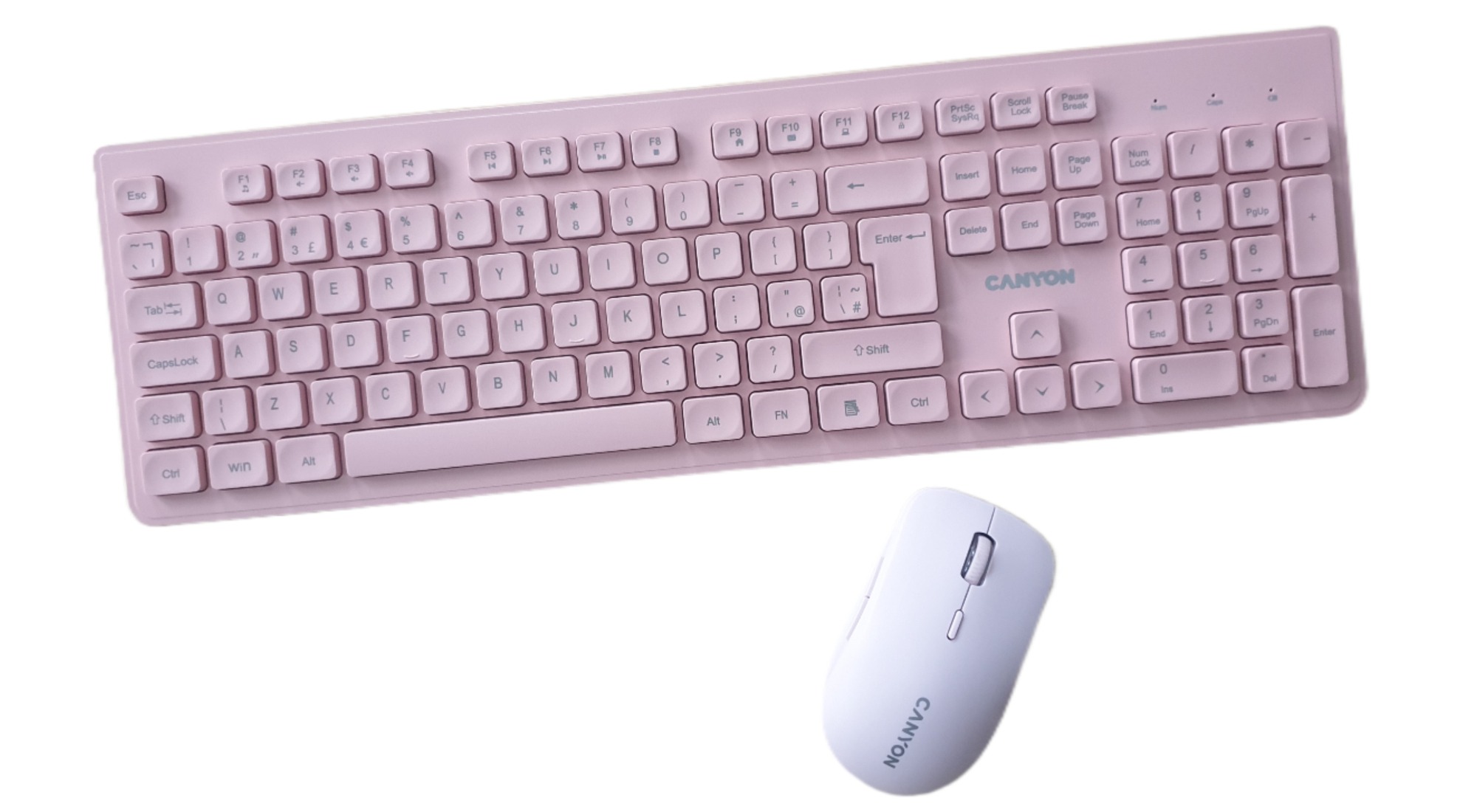
Everyday tech has quietly become the backbone of how we work, relax as well as keeping our homes running smoothly. It’s no longer about flashy specs or having over‑engineered features; it’s about the tools that blend into our daily life, feel good to use and remove friction rather than add to it. That’s exactly the space where the Canyon Wireless Keyboard & Mouse set, consisting of the Silent Wireless Keyboard HKB‑W01 and Silent Wireless Mouse MW‑12, sits. This set is an affordable, minimalist pairing that aims to make typing and navigating quieter, smoother and more pleasant, whether you’re working from home, studying or simply trying to keep your desk clutter‑free. And they are a lot quieter than others!
The Canyon Wireless Keyboard & Mouse are available to purchase as individual devices in beige, blue or pink colour, for this review I was sent a pink version which consisted of a vibrant pink wireless keyboard and a paler pink wireless mouse – not quite a match but both are pink.
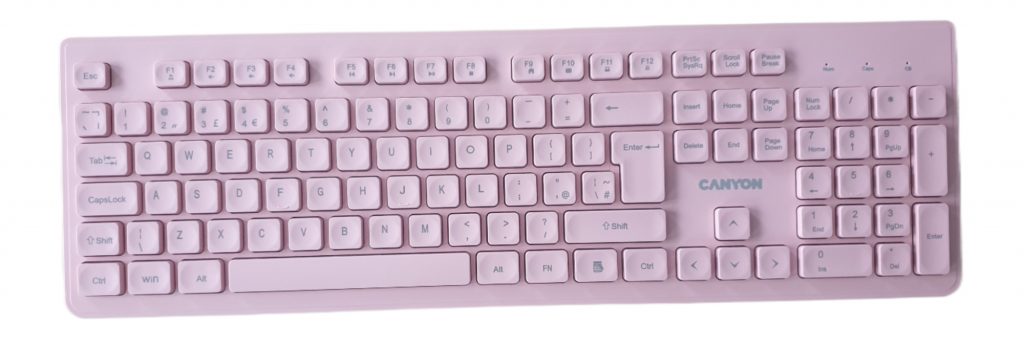
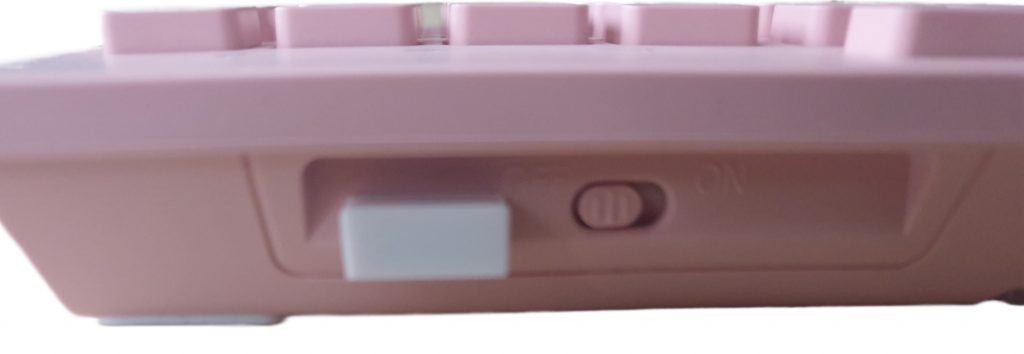
Firstly, the keyboard, full size with a number pad. This first thing you notice is obviously the vibrant pink colour. When taking it out of the box you will notice how slim and lightweight it is (approx. 40g), giving it a modern, low-profile look that will suit any desk setup. As it is wireless it needs power to work, in this case 2xAAA batteries (which are supplied). The batteries pop into the base under an easy to remove/replace door. The base also has two pull down flaps to stand the keyboard at an angle (or leave them in place if you prefer your keyboard flat on the desk). On the rear of the keyboard is a removeable USB receiver which needs plugging into an available USB port on your laptop / PC. And there is also a power on/off switch to help you save battery power when you are not using the keyboard (just remember to switch it on when you want to use it.
Now for the important part – how does it feel to type on? I’m fussy about keyboards and don’t like ones that are too sensitive or at the opposite end of the scale, needing hammer-like fingers to get a response. I found typing on the Canyon keyboard a jot. It is very responsive and it is definitely a lot quieter than other keyboards that I have used, feeling and sounding more like a laptop keyboard and it boasts a claim of being up to 90% quieter than standard keyboards.
It has 2.4GHz wireless connectivity, which allows you to enjoy stable performance for up to 10m away from the receiver. And it is compatible with both Windows and macOS systems.
As for durability, despite its slim profile and light weight it feels very durable and it has been tested to withstand 8 million keystrokes.
Battery life obviously depends on how much you use it and if you remember to switch it off when not it use, but the batteries can last up to 6 months (this will vary from user to user). There is a battery indicator light on the keyboard that will come on when it is getting near time to charge the batteries.
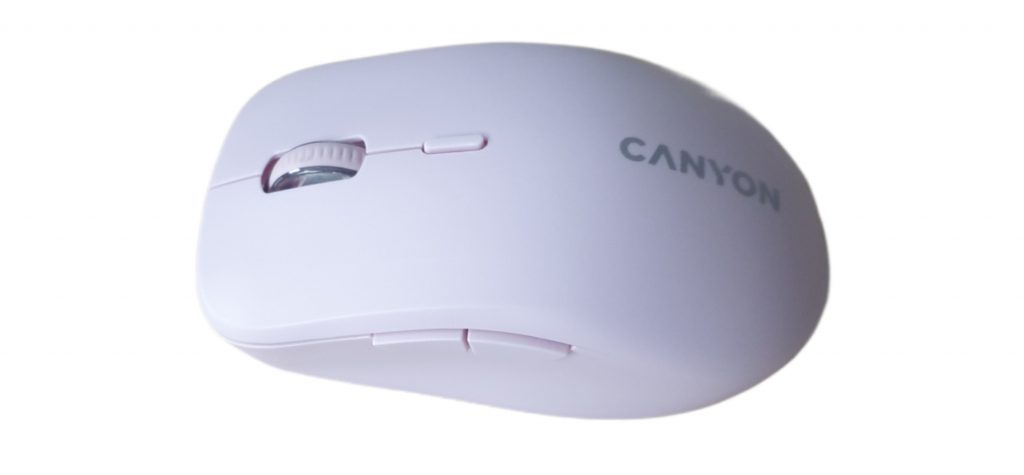
Now for the mouse. The mouse is also wireless and requires battery power (1x AA battery, supplied). When you slide off the battery cover, you can easily pop in the battery and underneath the cover you will also find the USB-A receiver). This mouse operates with 2.4GHz wireless connectivity as well as Bluetooth – your choice. Either plug in the USB receiver to your laptop or PC or pair with your computer using Bluetooth (press the button underneath the mouse to enter pairing mode).
The mouse features 6 buttons (5 buttons and a clickable scroll wheel). It has an optical sensor with 2400 DPI Resolution and it has been tested for at least 3 million clicks.
Using the mouse feels good and comfortable, fitting in my hand nicely with its ergonomic design. It is easy to use with two buttons on the top and two of the left-hand side as well as a button in the middle and a clickable scroll wheel (you can use your computers setting to determine the function of the buttons). As with the keyboard, clicking the mouse is quieter than using a standard mouse.
Sadly, the keyboard and mouse colours are very different. While the keyboard is a vibrant pink, the mouse is a very pale pink, so I wouldn’t describe them as a matching set, just pink.

Overall, both the keyboard and mouse are a pleasure to use and definitely brighten up the desk workspace. They are both nice to use and are extremely quiet, so are great for using at night when all is silent (less riks of annoying anyone else in the room). The keyboard taps feel more like typing on a laptop rather than a desktop keyboard.
My only niggle with the pink set (I haven’t seen the blue or beige versions) is that while they do share a matching aesthetic with both being pink, they are two different shades of pink so I wouldn’t describe it as a matching set. It may be a small detail, but it is a meaningful one if you are going for a uniform colour-matched setup.
The wireless connection, whether using 2.4ghz or Bluetooth is reliable and stable and can be used up to 10 metres (about 30ft).
The Canyon Silent Keyboard & Mouse is a genuinely quieter and highly practical pairing that delivers excellent value. Both pieces are comfortable to use and quiet. For me it was just a pity that both the devices weren’t the same shade of pink.
If you are looking to add a bit of colour to your desktop or need to reduce noise when using your computer then I can recommend this wireless pairing. The pieces of the set are good quality, are indeed quieter than other devices and are really comfortable to use. I think that it is just a pity that the colours don’t actually match on the set I received.
Rating: 4.5/5
RRP: £19.99 (Wireless Keyboard) / £16.99 (Wireless Mouse)
Available to buy from Ryman – keyboard / mouse